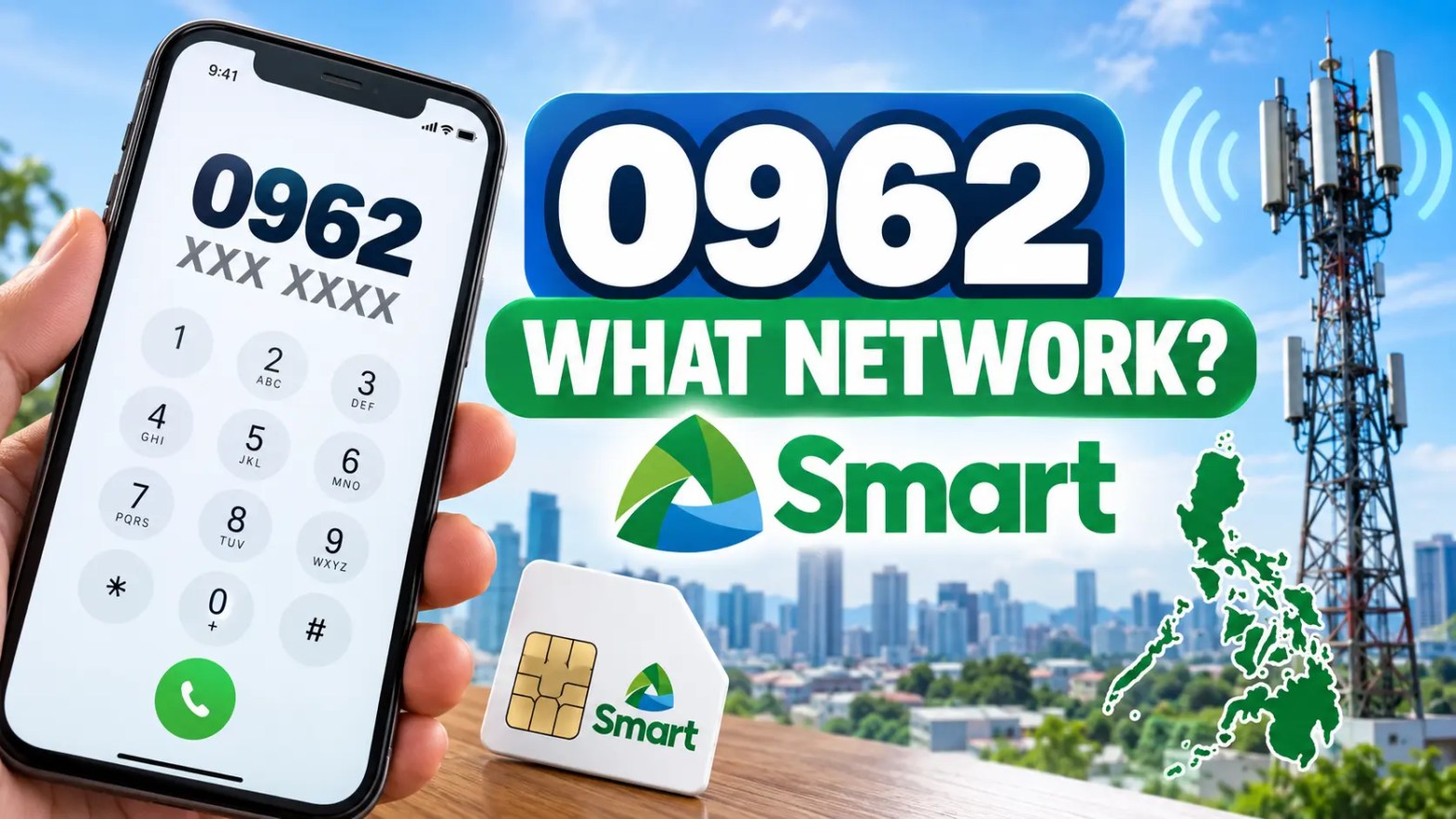
0962 What Network

If you received a call or text from a Philippine mobile number beginning with 0962, you may want to know which network it belongs to before calling back, sending load, or checking a promo.

The short answer is that 0962 is associated with the Smart network family in Philippine mobile prefix references. However, a prefix does not always tell you the network that currently serves a number. This distinction matters because the Philippines has Mobile Number Portability (MNP). Under MNP, subscribers can keep their existing mobile number when they transfer to another network. The number keeps its original digits, including the 0962 prefix.

So, if you see a number such as 0962 123 4567, the prefix gives you a useful clue about its original network allocation, but it should not be treated as a guaranteed real-time carrier lookup.

What Network Is 0962?

0962 belongs to the Smart network family

The 0962 prefix is listed as Smart in Philippine mobile prefix references. A prefix reference published by Prefix PH identifies 0962 with Smart. This makes Smart the appropriate network family to associate with the 0962 prefix when answering the common search query “0962 what network?”

However, there is an important historical detail. Older Philippine prefix lists have also associated 0962 with Sun Cellular. For example, an older prefix directory from The Summit Express lists 0962 under Sun Cellular.

This difference is one reason it is better to describe 0962 as a Smart-associated prefix rather than make an unsupported claim about its exact historical allocation.

The current practical point for users is simple: online prefix lists can reflect different periods and different naming conventions. Mobile Number Portability also means that the original allocation does not necessarily match the subscriber’s current network.

Is 0962 Smart or TNT?

0962 should be understood within the Smart network family. Smart and TNT are related brands within the Smart telecommunications ecosystem. However, the 0962 prefix by itself does not reliably tell you whether a particular subscriber uses a Smart-branded service or a TNT-branded service.

It is also important not to assume that every number beginning with 0962 has the same account type. A prefix is a numbering identifier. It is not a label that tells you whether a subscriber has a particular prepaid, postpaid, or promotional account.

0962 Prefix at a Glance

Detail Information
Prefix 0962
Country Philippines
Associated network family Smart
Historical references Some older directories associate 0962 with Sun Cellular
Retail brand Cannot be determined reliably from the prefix alone
Domestic number format 0962 XXX XXXX
International format +63 962 XXX XXXX
Mobile Number Portability Yes
Can prefix prove current carrier? No

The table shows why a simple answer such as “0962 is Smart” needs a little context. For a basic prefix lookup, Smart is the relevant network association. For a current carrier lookup, the complete number needs to be checked through an appropriate current verification method because the subscriber may have ported the number to another provider.

How Philippine Mobile Prefixes Work

What is a mobile prefix?

A mobile prefix is the first part of a Philippine mobile number. For example: 0962 123 4567. In this example, 0962 is the mobile prefix, while the remaining digits form the subscriber number.

Philippine mobile numbers commonly use the 09XX format when dialled domestically. The prefix system allows mobile numbers to be grouped into numbering ranges associated with telecommunications providers. This is why people often use prefix lists when they want to identify whether a number was originally associated with Smart, Globe, DITO, or another provider.

What does a prefix actually tell you?

A mobile prefix can provide useful information, but its role has limits.

It CAN help identify:
  • The network associated with the number’s original allocation
  • The Philippine mobile numbering range
  • The network family commonly associated with the prefix
It CANNOT reliably tell you:
  • The subscriber’s current carrier after MNP
  • Whether the subscriber uses prepaid or postpaid service
  • The exact retail brand attached to the number
  • Whether the phone supports 4G, LTE, or 5G
  • Which promo the subscriber is currently using
  • Where the subscriber is physically located
  • Who owns the number

Can a 0962 Number Be on Another Network?

Yes. A 0962 number can potentially be using a different network today if the subscriber transferred the number through Mobile Number Portability.

How Mobile Number Portability changes prefix identification

The Philippines introduced Mobile Number Portability through Republic Act No. 11202, known as the Mobile Number Portability Act. The law allows eligible mobile users to retain their existing mobile number when switching service providers. The NTC subsequently issued rules and regulations for implementing MNP. Smart’s current MNP information also explains that subscribers can keep their mobile numbers when transferring to another network provider.

This changes how prefix identification should be understood. Before MNP, a prefix was a stronger indicator of the network that was serving a number. Today, the prefix is better treated as an original allocation clue.

“0962 is associated with the Smart network family, but the prefix alone cannot confirm the number’s current carrier.”

What this means when sending load or choosing a promo

The distinction becomes important when you are sending load, choosing a network-specific promo, or checking whether a service is available for a particular number. Do not assume that a 0962 prefix automatically proves the current network. If the transaction depends on the subscriber’s current carrier, verify the number through an appropriate current carrier or service channel first.

How to Verify the Current Network of a 0962 Number

  • Check through the relevant carrier or service: When the current carrier matters, use the provider’s current support or account systems where available. Smart currently provides Mobile Number Portability information and tools for users who are switching networks while keeping their existing numbers.
  • Use a reputable number lookup or loading service: Some third-party services provide mobile network lookup or carrier detection. However, their databases may differ in how recently they were updated, especially for numbers that have been ported.
  • Ask the number owner: For a personal transaction, the simplest option may be to ask the subscriber directly which network they currently use.

What Can You Tell From a 0962 Number?

Question Can 0962 alone answer it?
Original or commonly listed network family Yes, Smart
Country Yes, Philippines
Current carrier No
Smart vs TNT retail brand Not reliably
Prepaid vs postpaid No
4G/LTE/5G availability No
Exact promo eligibility No
Subscriber identity No

How to Write 0962 in Philippine and International Format

Domestic format: 0962 XXX XXXX (e.g., 0962 123 4567)

International format: +63 962 XXX XXXX (e.g., +63 962 123 4567)

Common mistake: Do not keep the domestic zero after adding +63 (Avoid: +63 0962 123 4567).

Related Smart Mobile Prefixes

Historical Philippine prefix references list several mobile ranges associated with Smart:

0960 0961 0962 0963 0964 0968 0969 0970 0998 0999

Frequently Asked Questions

Can I identify the owner of a 0962 number from the prefix?

No. The prefix provides numbering information only and does not reveal personal identity details.

Does seeing 0962 mean the caller is located in a specific city?

No. Philippine mobile prefixes are not geographically restricted.

Can a 0962 number be used abroad?

Yes. Roaming capability depends on carrier setup and account settings, not the prefix itself.

Does the 0962 prefix reveal if a number is active?

No. Inactive, disconnected, or suspended numbers retain the exact same prefix structure.


Resources & References

TA

Written by Telecom Analyst Team

Our Subject Matter Experts specialize in Southeast Asian telecommunications infrastructure, Mobile Number Portability (MNP) regulations, and mobile numbering prefix allocations. We analyze regional spectrums, telco market trends, and regulatory updates to provide accurate mobile network insights.

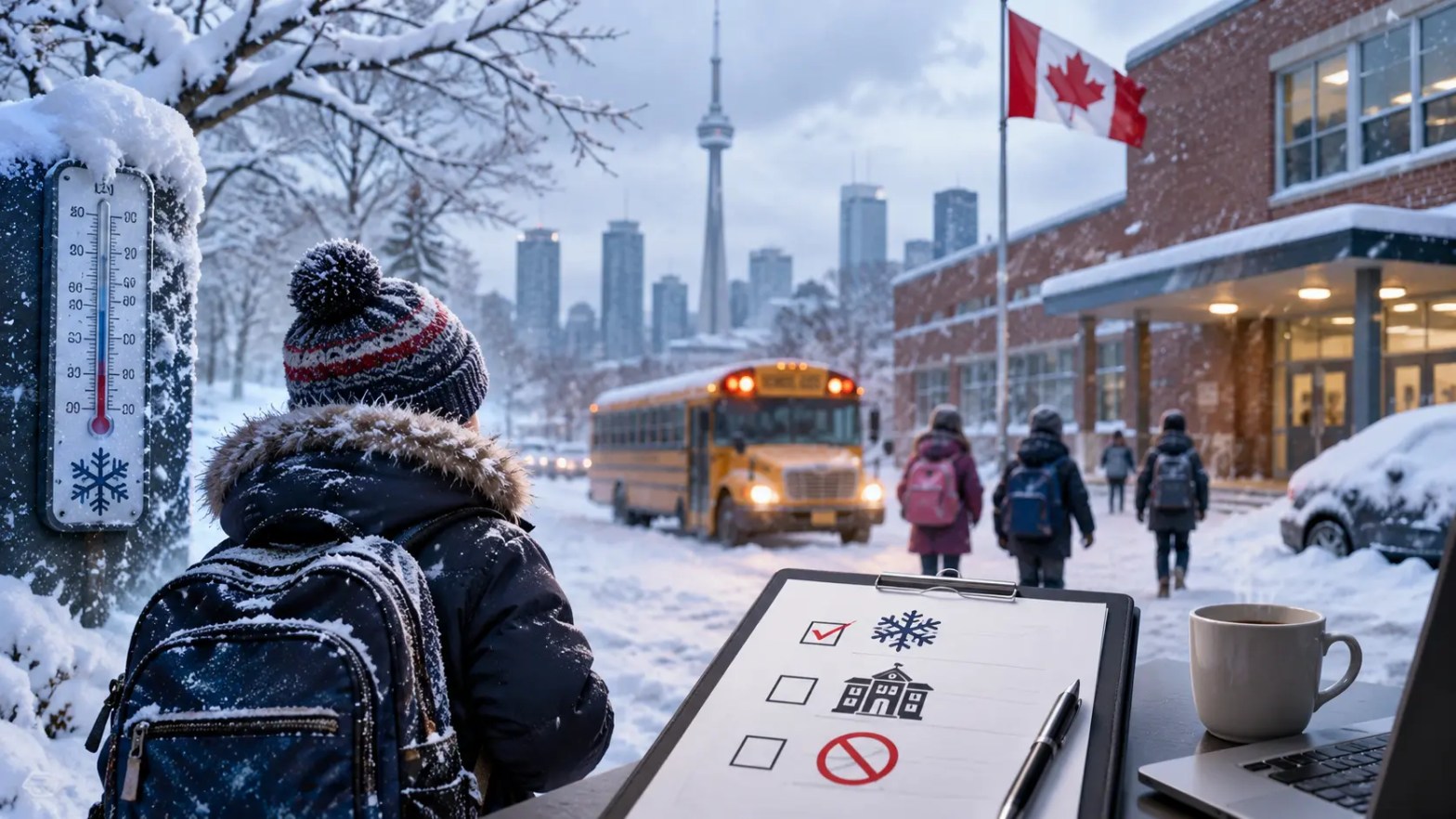
How Winter Weather Affects School Opening Decisions in Toronto

Winter weather can affect school opening decisions in Toronto. Snow, freezing rain, strong winds, and low temperatures can create safety risks for students, families, teachers, and school staff. Toronto schools must assess weather and travel conditions before they decide whether schools can open as planned.

School opening decisions depend on several factors. School boards review weather forecasts, road conditions, public transit, sidewalks, school property, and local safety reports. The decision also considers the expected conditions during arrival and dismissal times. A weather forecast alone does not decide whether a school will open.

For families in Toronto, winter weather can make morning planning difficult. Parents need to know if children should attend school, stay home, or follow a remote learning plan. A reliable winter predictor can help families understand possible risks, but the final school opening decision comes from the relevant school board.

Why Winter Weather Matters for Toronto Schools

Toronto experiences several types of winter weather that can affect school operations. Heavy snow can cover roads and sidewalks. Freezing rain can create ice on streets, school entrances, and walking routes. Strong winds can make travel harder and can create risks from falling branches or damaged property.

Cold temperatures can also affect travel and outdoor activities. Students who walk to school may face longer travel times in severe conditions. School buses may also experience delays because of poor road conditions. These factors can affect the safety of the full school community.

School boards must consider these risks before making a school opening decision. The main goal is to maintain safe access to schools. A school may remain open during moderate snowfall if roads and sidewalks remain safe. A school board may also close schools if weather creates serious travel risks.

How School Boards Assess Winter Conditions

School boards in Toronto review several sources before making a school opening decision. Weather forecasts provide information about expected snowfall, freezing rain, wind, and temperature. Road reports provide information about driving conditions. Transit information can show possible delays that may affect students and staff.

School officials also assess conditions near schools. A weather report can describe general conditions across Toronto, but conditions can vary between neighbourhoods. One area may receive more snow than another area. Some roads may become icy faster because of shade, traffic, or local conditions.

School boards also consider the timing of a storm. A storm that begins early in the morning can create different risks from a storm that begins after school starts. Officials need to assess conditions during student arrival and dismissal periods.

Weather Forecasts and Storm Timing

Weather forecasts play an important role in school opening decisions. Forecasts can show when snow or freezing rain may begin and how long the event may continue. They can also provide expected snowfall totals and temperature changes.

A winter predictor can help families track these conditions. For example, a forecast that shows heavy snow during the early morning may indicate a higher risk of travel problems. A forecast that shows light snow with stable road conditions may indicate a lower risk of major travel disruption.

However, forecasts can change. Weather systems can move faster or slower than expected. Snowfall totals can also differ from early estimates. For this reason, school boards review current information before making a final decision.

Road and Sidewalk Conditions

Road conditions have a direct effect on school transportation. Snow and ice can reduce vehicle control and increase stopping distances. School buses may need more time to complete their routes. Heavy traffic can also increase delays.

Sidewalk conditions also matter. Many Toronto students walk to school or use public transit. Icy sidewalks can increase the risk of falls. Snowbanks can reduce walking space near roads and intersections.

School boards must consider these conditions as part of the overall safety assessment. A school opening decision must account for students who use different forms of transportation.

The Role of Temperature in School Opening Decisions

Temperature can affect school operations in several ways. Very low temperatures can create difficult conditions for students who walk, wait for buses, or transfer between transit routes. Wind can make cold conditions feel more severe.

Low temperatures can also increase the risk of icy surfaces. Water can freeze on roads, sidewalks, stairs, and school entrances. School staff may need additional time to clear entrances and make walking areas safe.

Toronto schools do not use temperature alone as a simple predictor of school closures. Officials consider temperature with other weather factors. Snow, ice, wind, transportation conditions, and road safety can have a greater effect on the final decision.

How Snowfall Can Affect School Opening

Snowfall can affect school operations based on its amount, timing, and impact on transportation. A small amount of snow may have little effect if crews clear roads and sidewalks quickly. Heavy snowfall can create longer travel times and reduce road visibility.

The timing of snowfall also matters. Snow that falls before the morning commute can affect school buses, public transit, cars, and pedestrians at the same time. This can create widespread travel problems across Toronto.

School boards may also consider whether snow is expected to continue during the school day. If conditions are expected to become worse later, officials may assess whether keeping schools open would create problems for afternoon dismissal.

Heavy Snow and School Transportation

School transportation can face major challenges during heavy snow. Buses may move slowly on untreated roads. Traffic can also become heavier when road conditions worsen. These delays can affect students who depend on scheduled transportation.

A school board may therefore consider transportation conditions when it reviews a school opening decision. If buses cannot operate safely, the board may take action even if some roads remain usable.

Families should check official school board announcements for the latest information. A general Toronto weather forecast cannot confirm whether a specific school will open.

How Freezing Rain Can Change the Decision

Freezing rain can create serious travel problems because it forms ice on surfaces. Roads, sidewalks, stairs, and parking areas can become slippery within a short period.

Freezing rain can also affect visibility and vehicle control. Even a thin layer of ice can make walking and driving difficult. School entrances can also become hazardous if ice forms before staff can treat the area.

For this reason, freezing rain can have a strong effect on a school opening decision. Officials may pay close attention to the timing of the freezing rain and the ability of crews to clear or treat affected areas.

Wind and Other Winter Risks in Toronto

Strong winds can create additional risks during winter storms. Wind can reduce visibility when it blows snow across roads. It can also affect pedestrians and drivers.

Strong winds can also create risks from falling branches. Trees can carry snow and ice after a storm. If branches fall near school property or walking routes, school officials may need to review the situation before opening.

Winter storms can also cause power problems. A school needs reliable heating, lighting, communication systems, and other essential facilities. If a weather event affects these systems, officials may need to consider a different school opening decision.

How Families Can Use a Winter Predictor

Families can use a winter predictor to monitor weather conditions before a school day. A useful predictor like Snow Day Predictor Canada can provide information about snowfall, freezing rain, temperature, wind, and expected storm timing.

However, families should use weather information as a planning tool rather than as a final school opening announcement. The official school board remains the main source for school closure and opening information.

Parents can check weather conditions the night before school and again in the morning. Conditions can change quickly during winter storms. A morning check can provide more useful information than an earlier forecast.

Families should also prepare for possible changes. Parents can keep winter clothing ready and plan extra travel time. They can also check public transit updates and school board announcements before leaving home.

Why Official School Announcements Matter

Toronto families should check official school board communication for school opening updates. Weather apps can show current conditions, but they cannot confirm whether a school has closed.

School boards have access to information about local school conditions, transportation, and operational issues. Their announcements reflect the decision for the schools under their authority.

Families should also remember that different school boards can make different decisions. A school in one part of Toronto may face different conditions from a school in another area. Parents should check the announcement that applies to their child’s school.

School Opening Decisions Can Change With Conditions

Winter conditions can change during the morning. A school may open when conditions appear manageable and later experience transportation delays or other problems. School officials continue to monitor conditions after making the initial decision.

This is why families should check for updates before travelling. A decision made early in the morning may not reflect conditions later in the day.

The same principle applies to storm forecasts. A winter predictor may show improving conditions, but actual conditions can remain difficult. Current information is more useful for immediate planning.

What Parents Should Check Before a Winter School Day

Parents can follow a simple process before sending children to school during winter weather. First, they can check the latest Toronto weather forecast. Next, they can check road and transit conditions. They should then check the official school board announcement.

Parents should also consider the child’s travel route. A child who walks may face different conditions from a child who uses a school bus. Ice on a local sidewalk can create a problem even if main roads are clear.

Parents can also allow extra travel time during winter. Snow and ice can slow cars, buses, bicycles, and pedestrians. Extra time can reduce pressure during the morning commute.

Conclusion

Winter weather can have a major effect on school opening decisions in Toronto. School boards consider snowfall, freezing rain, temperature, wind, road conditions, sidewalks, transportation, and school property before making a decision.

A winter predictor can help families understand possible weather risks. However, it cannot replace an official school announcement. Weather conditions can change quickly, and local conditions can differ across Toronto.

Families should use current weather information and official school board updates when planning for winter school days. Checking these sources before leaving home can help parents and students prepare for changes in school opening status and travel conditions.

How Proper Well Mapping Improves Experimental Accuracy

Experimental accuracy depends on how well researchers control, record, and repeat each step of an experiment. Small errors in sample placement can affect results, especially when researchers work with many samples at the same time. Proper Well Mapping helps researchers assign samples, treatments, controls, and measurements to specific positions in a well plate. This process creates a clear record of every sample location and reduces confusion during laboratory work.

Well Mapping also supports consistent sample handling. Researchers can identify each well before they add samples or reagents. They can then compare the recorded layout with the final experimental data. This connection between sample location and test result helps researchers detect errors and improve Experimental Accuracy.

What Is Well Mapping?

Well Mapping is the process of assigning specific samples, treatments, controls, or other experimental elements to individual wells in a well plate. A well plate contains multiple small wells that hold biological samples, chemicals, cells, or other materials. Each well has a unique position, such as A1, A2, B1, or B2.

Researchers use Well Mapping to create a clear layout before starting an experiment. The map shows what each well contains and what treatment the sample receives. The researcher can also record sample IDs, concentrations, dilution levels, replicates, and control groups in the map.

A clear Well Mapping plan creates a direct connection between the physical well plate and the experimental data. Researchers can use the same map during sample preparation, testing, imaging, and data analysis. This process reduces the risk of assigning a result to the wrong sample.

Why Well Mapping Matters for Experimental Accuracy

Experimental accuracy depends on correct sample identification and consistent procedures. A researcher may collect accurate measurements, but the final result can become unreliable if those measurements are assigned to the wrong samples. Well Mapping helps prevent this problem by giving every sample a fixed location and clear reference point. A 96 Well Plate Template can help researchers organise sample positions before an experiment begins, making it easier to assign controls, treatments, blanks, and replicates to specific wells.

A well plate can contain dozens or hundreds of wells. Manual identification becomes harder as the number of samples increases. Similar sample names can also create confusion. A structured map gives researchers a simple reference that they can check throughout the experiment. This approach reduces sample mix-ups and helps maintain consistency during data collection.

Well Mapping also helps researchers separate experimental groups. The map can show treatment wells, control wells, blank wells, and replicate wells. This separation makes data analysis easier because researchers can connect each measurement to the correct experimental group and well position.

How Well Mapping Reduces Sample Identification Errors

Sample identification errors can affect an entire experiment. A researcher may place a sample in the wrong well or record the wrong sample ID. This mistake can make later data analysis difficult. Well Mapping reduces this risk by creating a fixed sample layout before laboratory work begins.

The researcher can assign every sample to a specific well before transferring materials to the plate. The researcher can then check the sample ID against the map during each step. This method creates an additional verification point.

A digital Well Mapping system can provide further control. Researchers can store sample information, treatment details, and well positions in a single record. They can use this information during data collection and analysis. This approach reduces manual transcription and supports better Experimental Accuracy.

Well Plate Layout and Experimental Design

A well plate layout can affect the quality of an experiment. Researchers should consider sample groups, controls, replicates, and plate position when they create a layout. A clear layout helps researchers maintain consistent conditions across the experiment.

Researchers often use different areas of a well plate for different experimental groups. They may also use blank wells to measure background signals. Control wells can provide reference values for treated samples. Replicate wells can help researchers measure variation within the same experimental condition.

The layout should match the experimental plan. Researchers should record the purpose of each well before starting the experiment. This record allows researchers to check whether the physical well plate matches the planned design.

Assigning Samples to Specific Wells

Researchers can assign each sample to a unique well position. For example, sample A can use A1, sample B can use A2, and sample C can use A3. The researcher can record these positions in a Well Mapping file.

The map can also include additional information. This information can include sample concentration, treatment type, dilution factor, replicate number, and test condition. A detailed map gives researchers more information without requiring them to rely on memory.

This process becomes more important when a well plate contains many samples. A structured layout can reduce repeated checking and prevent sample mix-ups.

Organizing Controls and Replicates

Controls and replicates play an important role in experimental design. Researchers need to know which wells contain these groups before they analyze the results. Well Mapping provides a simple way to identify each control and replicate.

Researchers can assign control samples to predefined wells and record those positions in the map. They can also group replicate wells under the same sample or treatment ID. This structure makes later analysis easier.

Consistent control and replicate placement also helps researchers compare results across different plates. The same mapping approach can create a common structure for repeated experiments.

Well Mapping Helps Standardize Laboratory Procedures

Standardization can improve Experimental Accuracy because researchers can follow the same process during repeated tests. Well Mapping provides a fixed structure for sample placement and treatment assignment.

A researcher can create a standard template for a specific experiment. The template can contain the required controls, sample groups, replicates, and well positions. Researchers can then reuse the same structure for future experiments.

This approach can reduce differences between experiments. It also makes training easier because new team members can follow a documented plate layout. A clear map provides a simple reference for each step.

How Well Mapping Supports Data Analysis

Accurate data analysis requires a clear connection between measurements and samples. Researchers collect data from individual wells, but the instrument may return the results as a large data table. Well Mapping helps researchers match each measurement with the correct sample.

For example, an instrument may report a measurement for well B4. The Well Mapping record can show that B4 contains a specific sample with a specific treatment. The researcher can then connect the measurement to the correct experimental condition.

This process reduces data interpretation errors. It also allows researchers to group measurements based on sample type, treatment, concentration, or replicate number.

Well Mapping and Automated Laboratory Systems

Automation can increase the number of samples that researchers process in a single experiment. Automated liquid handlers, plate readers, imaging systems, and robotic platforms often depend on accurate well positions.

A Well Mapping system can provide the position information that these systems require. The automation system can use the map to transfer samples, add reagents, or collect measurements from specific wells.

Accurate mapping becomes important because automated systems can process many wells quickly. If the original map contains an error, the system may repeat that error across many samples. Researchers should therefore verify the Well Mapping file before they start automated procedures.

Common Well Mapping Problems

Poor Well Mapping can create several problems during an experiment. One common problem occurs when researchers change the plate layout without updating the recorded map. The physical plate and digital record can then contain different information.

Another problem occurs when researchers use unclear sample names. Similar IDs can increase the risk of incorrect sample assignment. Researchers should use consistent sample IDs that clearly distinguish each sample.

Manual data entry can also create errors. Researchers may type the wrong well position or sample ID. A standardized digital system can reduce these mistakes by limiting manual input.

Researchers should also check for empty wells, duplicate sample assignments, and missing controls. These checks can identify problems before the experiment begins.

Best Practices for Accurate Well Mapping

Researchers should create the Well Mapping plan before they begin sample preparation. The map should include every well that will be used during the experiment. The researcher should also identify controls, blanks, replicates, and treatment groups.

Researchers should use consistent sample IDs across the experiment. The same ID should appear in the Well Mapping record, sample record, instrument file, and final dataset.

Researchers should verify the map before transferring samples. A second review can identify incorrect well positions or missing information. This check can improve Experimental Accuracy without adding much time to the workflow.

Researchers should also save the final map with the experimental data. The map becomes part of the experiment record and allows researchers to understand the plate layout during later analysis.

Improving Experimental Accuracy With Clear Records

Clear records support accurate laboratory work. Well Mapping creates a documented connection between samples, well positions, treatments, and measurements. This information can help researchers trace results back to the original experimental setup.

A complete record should include the well plate type, sample IDs, well positions, treatment details, replicate information, and relevant experimental conditions. Researchers can use these records to review unexpected results.

Clear records also support repeat experiments. A researcher can review the previous map and recreate the same layout. This process helps maintain consistency between experimental runs.

Conclusion

Proper Well Mapping can improve Experimental Accuracy by creating a clear connection between each sample and its position in a well plate. Researchers can use a structured map to organize samples, controls, replicates, treatments, and measurements.

A clear Well Mapping process reduces sample identification errors and supports consistent laboratory procedures. It also helps researchers connect instrument data with the correct experimental conditions. When researchers combine accurate mapping with clear records and careful verification, they can reduce common errors and improve the reliability of their experimental data.

How Content Length Can Affect On-Page SEO

Content length can affect On-Page SEO in several ways. Search engines need enough information to understand the topic of a page. A page with useful and relevant Content can answer user questions and provide clear context. However, a longer article does not automatically rank better than a shorter article. The quality, relevance, structure, and usefulness of the Content also affect search performance. Website owners should choose a suitable Content length based on search intent, topic depth, and user needs. An SEO Checker or SEO Analyzer can help identify content-related issues, but the final Content should focus on users and the main topic.

What Content Length Means for On-Page SEO

Content length refers to the total amount of written Content on a web page. Many website owners use word count as a simple way to measure length. Word count can help writers plan an article, but it should not become the main SEO goal. On-Page SEO uses many page elements to help search engines understand a page. These elements include headings, keywords, internal links, title tags, meta descriptions, images, URLs, and Content quality.

A short page can perform well when it answers a simple search query. A longer page can perform well when users need detailed information. For example, a page that explains a simple definition may need only a few hundred words. A guide about technical SEO may need much more Content because the topic has several important parts. The correct Content length depends on what users expect from the page.

Why Content Length Can Matter for Search Engines

Search engines analyze page Content to understand the main topic and its related concepts. A page with sufficient Content can provide more information about the subject. This information can help search engines connect the page with relevant search queries.

Longer Content can also cover related questions that users may have. For example, an article about On-Page SEO can explain title tags, headings, internal links, keyword placement, image optimization, URLs, and Content structure. Each section gives search engines more topical information.

However, adding extra words without useful information can reduce Content quality. Repeated ideas, unnecessary introductions, and keyword stuffing can make a page harder to read. Search engines can also understand when Content does not provide meaningful value. For this reason, website owners should focus on complete information instead of a fixed word count.

Search Intent Should Guide Content Length

Search intent describes the reason behind a user’s search. Content length should match that reason. A user who searches for a quick definition may want a short answer. A user who searches for a complete guide may need detailed Content.

For informational searches, a longer article may help answer several related questions. For transactional searches, users may need product information, pricing details, specifications, and purchase options. For navigational searches, users may need a direct page that provides the requested information.

On-Page SEO becomes stronger when Content matches search intent. A page should answer the main question early and then provide supporting information. This structure helps users find answers without reading unnecessary Content.

Longer Content Can Cover More Related Topics

Long-form Content can cover several related subjects within one page. This approach can help a page build stronger topical relevance. For example, an article about SEO Checker tools can explain how these tools check titles, headings, keywords, links, images, indexing signals, and other page elements.

Related terms can also provide additional context. A page about SEO Analyzer tools may naturally include terms such as website audit, technical SEO, page structure, internal links, meta tags, and keyword usage. These terms can help search engines understand the subject.

Writers should use related terms only when they fit the topic. They should not add keywords simply to increase word count. Natural language creates better Content for both users and search engines.

Avoid Adding Content Just to Increase Word Count

A common SEO mistake is adding unnecessary paragraphs to reach a specific word count. This approach can make an article repetitive and difficult to read. Users may leave the page if the article takes too long to reach the main answer.

Every paragraph should provide useful information. Writers should remove repeated explanations and unrelated examples. A 1,000-word article with clear information can be more useful than a 2,000-word article with repeated ideas.

Content length should support the purpose of the page. It should not control the entire Content strategy.

Content Structure Can Improve On-Page SEO

Content structure plays an important role in On-Page SEO. A long article needs clear headings so users and search engines can understand its organization. The main title should describe the primary topic. H2 headings should introduce major sections. H3 headings can divide larger sections into smaller topics.

Short paragraphs can also improve readability. Each paragraph should focus on one main idea. Clear sentences help readers understand the information quickly.

Writers should place important information in logical positions. The introduction should explain the topic. The main sections should answer important questions. The conclusion should summarize the main points without repeating the entire article.

A well-structured article also gives an SEO Checker more page elements to evaluate. The tool can identify issues with headings, keyword placement, metadata, links, and other On-Page SEO elements.

Keyword Placement Matters More Than Keyword Count

Content length does not determine how many times a keyword should appear. Keyword usage should remain natural. The main keyword can appear in important areas such as the title, introduction, headings, and relevant body Content.

For this topic, terms such as On-Page SEO, Content, SEO Checker, and SEO Analyzer should appear where they provide useful context. Writers should avoid placing the same keyword in every paragraph.

Search engines can understand related terms and topic context. This means writers can use different phrases when they discuss the same subject. Natural keyword use improves readability and reduces the risk of keyword stuffing.

Use Keywords in Relevant Sections

Keywords should support the meaning of each section. An SEO Checker section can discuss how an SEO tool reviews page elements. An SEO Analyzer section can explain how analysis tools identify technical and Content issues.

Writers should avoid forcing keywords into sections where they do not fit. Search engines can understand natural language, so the Content should read like normal human writing.

How an SEO Checker Can Review Content Length

An SEO Checker can provide useful information about a page. Many SEO tools review Content length along with other On-Page SEO factors. The tool may check headings, keyword usage, title tags, meta descriptions, links, images, and other page elements.

An SEO Checker can help identify pages that have very little Content. It can also help website owners compare page structures and identify missing elements. However, a tool cannot always determine the exact amount of Content that a user needs.

Website owners should use tool recommendations as guidance. They should review the actual search intent before changing an article. A tool may suggest more Content, but the website owner should add information only when that information helps users.

How an SEO Analyzer Can Improve Content Decisions

An SEO Analyzer can provide a broader review of a web page. It can identify technical and On-Page SEO issues that may affect search visibility. Some tools can review page titles, headings, keyword placement, links, Content length, image attributes, and other factors.

An SEO Analyzer can also help website owners find pages that need improvement. For example, a page may have strong Content but poor heading structure. Another page may have a good structure but provide limited information. These issues require different solutions.

Content length should therefore be reviewed with other page factors. A page should have enough information, but it should also have a clear title, useful headings, relevant keywords, proper internal links, and a logical structure.

Does Longer Content Always Rank Higher?

Longer Content does not always rank higher. Search engines do not use word count as a simple ranking rule. A page can rank well with fewer words if it provides a direct and useful answer.

For example, a simple question may require a short explanation. Adding thousands of words to that page may reduce its usefulness. A detailed research topic may require a much longer article because users need more information.

Website owners should study the search results and understand the information users expect. They should then create Content that covers the topic properly. Competitor word count can provide a reference, but it should not become the main Content target.

The Relationship Between Content Quality and Content Length

Content length and Content quality work together. A longer article can provide more useful details when each section adds new information. A shorter article can provide better value when it gives users the exact answer they need.

High-quality Content should remain relevant to the page topic. It should use clear language and provide accurate information. It should also organize ideas in a logical order.

On-Page SEO supports this process by improving page structure and relevance. Good Content should work with SEO elements instead of relying on word count alone.

How to Choose the Right Content Length

Website owners should first identify the main search intent. They should then determine the questions that the page needs to answer. The required Content length will become clearer after this process.

A simple topic may need a short article. A broad topic may need a detailed guide. Product pages may need enough Content to explain features, benefits, specifications, and common questions. Service pages may need information about the service, process, location, pricing factors, and customer questions.

An SEO Checker can help review the final page. An SEO Analyzer can provide additional information about technical and On-Page SEO issues. These tools can support the process, but human judgment should guide the final Content.

Content Length Should Support User Experience

Users want clear answers without unnecessary information. Long articles should make information easy to find. Headings, short paragraphs, relevant links, and clear sentences can improve the reading experience.

A page should answer the main question before adding secondary information. This approach helps users understand the topic quickly. It also gives the page a clear structure that supports On-Page SEO.

Website owners should review their articles regularly. They can remove outdated information, improve weak sections, add missing details, and update relevant examples. These changes can improve the usefulness of the Content without simply increasing its length.

Final Thoughts on Content Length and On-Page SEO

Content length can affect On-Page SEO because sufficient Content helps a page explain its topic and cover relevant questions. However, word count alone does not determine search performance. Search intent, relevance, structure, keyword use, readability, internal links, and Content quality also matter.

A good SEO strategy uses Content length as a planning factor rather than a fixed ranking target. An SEO Checker can identify page-level issues, while an SEO Analyzer can provide a broader view of On-Page SEO performance. Website owners should use these tools to find improvement areas and then make changes that provide real value to users.

The best Content length is the length required to answer the user’s question clearly and completely. When every section has a clear purpose, the page can provide useful information without unnecessary words.

Why Does Piso WiFi Say Connected Without Showing the Login Page?

Piso WiFi can connect your phone, laptop, or other device to the WiFi network without opening the login page. This issue usually happens when the device detects the Piso WiFi connection but does not redirect the browser to the captive portal. The login page normally appears after you connect to the Piso WiFi network. It may require you to enter a payment code, access code, or other details before you can use the internet. If the page does not appear, you may see a WiFi icon that says “Connected” even though you cannot browse websites.

Many users try to open 10.0.0.1 because this address is commonly used to access the Piso WiFi login page. Some users also try 10.0.0.0.1, but this address is usually entered by mistake. The correct local address depends on the Piso WiFi router or hotspot setup. In many Piso WiFi systems, 10.0.0.1 works as the gateway address. However, network settings can differ between machines and installations. This guide explains why Piso WiFi says connected without showing the login page and how you can fix the problem step by step.

What Does “Connected Without Login Page” Mean on Piso WiFi?

When your device connects to Piso WiFi, it first communicates with the local network. Your device can detect the WiFi signal and receive a network connection. The device may then display “Connected” because it has successfully joined the wireless network. This status does not always mean that internet access is active. Piso WiFi can still require authentication or payment before it allows your device to access the internet.

The login page works as a captive portal. This portal checks your connection and shows the page that lets you enter the required access details. If the captive portal does not open, your device can remain connected to the WiFi network without giving you internet access. The problem can come from the browser, DNS settings, cached network data, VPN settings, or the Piso WiFi router itself.

Why Does Piso WiFi Connect But Not Open the Login Page?

The most common reason is that the device does not receive the redirect from the Piso WiFi system. A captive portal usually detects a new connection and redirects the browser to the login page. Modern phones and computers use their own network detection systems to check whether internet access is available. If this detection process does not work correctly, the login page may not open automatically.

Your browser can also affect the process. A browser may keep an old page in its cache or attempt to use a secure HTTPS connection before the Piso WiFi system can redirect the request. The captive portal may work better when you open a normal HTTP website or directly enter the local gateway address.

Another common cause is an active VPN or private DNS service. These services can change how your device handles network requests. A Piso WiFi system may need to intercept certain requests and redirect them to its login page. A VPN or private DNS service can prevent this redirection from working correctly.

How 10.0.0.1 Opens the Piso WiFi Login Page

The address 10.0.0.1 is a private IP address that can serve as the gateway for some Piso WiFi systems. When you connect to a Piso WiFi network, your device receives network information from the router. This information can include the IP address, gateway address, and DNS server. If the Piso WiFi installation uses 10.0.0.1 as its gateway, you can enter this address in your browser to reach the local login page.

Open your browser and type 10.0.0.1 directly into the address bar. Do not type it into the Google search box. The browser should attempt to connect directly to the local device. If the Piso WiFi system uses this address, the login page should appear. Users who want to understand the relationship between these local gateway addresses and router access can also refer to https://100001.site/ for additional information.

The address 10.0.0.0.1 is different from 10.0.0.1. The extra zero can cause the address to fail. Users often type 10.0.0.0.1 because they assume it is the correct router address. In most cases, 10.0.0.1 is the address that users should try first when a Piso WiFi system uses this gateway.

What Should You Do If 10.0.0.1 Does Not Open?

If 10.0.0.1 does not open, your Piso WiFi connection may use a different gateway address. You can check the network details on your device to identify the gateway. The gateway is usually the local address that connects your device to the Piso WiFi router.

On an Android phone, open the WiFi settings and select the connected Piso WiFi network. Look for network information such as Gateway, Router, or IP address. The exact option depends on the Android version and phone manufacturer. If the gateway shows 10.0.0.1, enter that address into your browser.

On an iPhone, open Settings, select WiFi, and tap the information icon beside the connected network. Look for the Router field. This field shows the local gateway address used by the WiFi network. You can enter that address into Safari to check whether the Piso WiFi login page opens.

On Windows, you can open Command Prompt and use the ipconfig command. Look for the Default Gateway under the connected WiFi adapter. That address can help you identify the correct local Piso WiFi gateway.

Refresh the Piso WiFi Connection

A simple reconnect can solve many Piso WiFi login problems. Turn off WiFi on your device and wait for several seconds. Turn WiFi on again and connect to the same Piso WiFi network. This action forces the device to create a new network session.

After reconnecting, open your browser and visit a normal website. Avoid using a page that you previously opened because the browser may load the page from its cache. If the Piso WiFi system detects the new session, it may redirect the browser to the login page.

You can also forget the Piso WiFi network and connect again. Open the WiFi settings, select the network, choose Forget This Network, and then reconnect. Enter the WiFi password if the network requires one. This process removes the old connection information and creates a new connection.

Disable VPN and Private DNS Settings

A VPN can prevent the Piso WiFi login page from opening. The VPN sends network traffic through another service instead of allowing the Piso WiFi system to handle the request directly. The Piso WiFi captive portal may fail to detect the connection when the VPN is active.

Turn off the VPN before connecting to the Piso WiFi network. After the login page appears and your session becomes active, you can test whether the VPN works with the connection. Some networks may still block VPN traffic after authentication.

Private DNS can cause a similar issue. Android devices can use Private DNS to handle DNS requests through a selected service. If the DNS service does not work with the Piso WiFi network, the browser may fail to reach the login page. Set Private DNS to Automatic or Off temporarily and reconnect to the Piso WiFi network.

Clear Browser Cache and Try Another Browser

A browser cache can sometimes interfere with captive portal redirects. The browser may remember an earlier page or connection state instead of loading the current Piso WiFi login page. Clearing the cache can remove old data and allow the portal to load correctly.

You can also try another browser. If you normally use Chrome, try another browser available on your device. If the login page opens in the second browser, the problem may relate to the settings or cached data in your main browser.

Another useful step is to open an HTTP website instead of an HTTPS website. Captive portals can have difficulty redirecting secure HTTPS requests because encryption prevents the network from changing the page request in the same way as an HTTP request. An HTTP request can give the Piso WiFi system an easier opportunity to display the login page.

Restart the Device and Reconnect to Piso WiFi

Restarting your device can clear temporary network errors. Phones and computers can sometimes keep old DNS information, network sessions, or connection states after switching between different WiFi networks. A restart can remove these temporary issues.

After restarting, connect to Piso WiFi again. Wait a few seconds for the device to receive its network information. Open the browser and enter 10.0.0.1 if that address is the gateway for the network. If the login page appears, continue with the normal Piso WiFi authentication process.

If the device still shows “Connected” but no internet access, check whether another device can open the login page. This test helps identify whether the problem affects one device or the entire Piso WiFi system.

Check Whether the Problem Affects Other Devices

Try connecting another phone or computer to the same Piso WiFi network. If the second device opens the login page normally, the Piso WiFi system is probably working. The issue may exist in the settings of the first device.

If every device connects but no device can open the login page, the problem may exist on the Piso WiFi machine, router, hotspot configuration, or network gateway. In this situation, changing browser settings on your phone may not solve the issue.

The Piso WiFi operator may need to check the captive portal, router configuration, DHCP service, DNS settings, or gateway address. A technical problem on the network can prevent all connected users from reaching the login page.

Check Your Device IP Address

Your device needs a valid local IP address to communicate with the Piso WiFi gateway. If the device does not receive the correct IP configuration, 10.0.0.1 may not respond even when the WiFi icon shows a connection.

Check the WiFi network details and look for the device IP address. The IP address should normally belong to the same local network as the gateway. For example, a device may receive an address such as 10.0.0.x when the Piso WiFi gateway uses 10.0.0.1.

If the device has an unusual IP address or does not show a gateway, disconnect and reconnect to the network. You can also restart the device to request new network information from the router.

Why 10.0.0.0.1 Usually Does Not Work

Many users search for the Piso WiFi login page by typing 10.0.0.0.1. This address contains an extra zero compared with 10.0.0.1. The correct address must match the gateway configured by the network.

If the Piso WiFi gateway uses 10.0.0.1, typing 10.0.0.0.1 will not take you to the login page. Always check the gateway shown in your device network settings instead of relying on a guessed address.

The safest approach is to identify the actual router or gateway address first. If the gateway is 10.0.0.1, use that address. If the gateway has another value, use the displayed address instead.

When the Piso WiFi Login Page Still Does Not Appear

If you have reconnected to Piso WiFi, disabled VPN services, checked private DNS, cleared browser data, and tested 10.0.0.1 without success, the issue may be outside your device. The Piso WiFi system may have a configuration problem or temporary service issue.

The network operator may need to restart the Piso WiFi machine or check the captive portal settings. The operator may also need to confirm that the gateway, DHCP service, DNS service, and login portal are working correctly.

If other users have the same problem, report the issue to the Piso WiFi operator. If only your device has the problem, continue checking your device network settings and browser configuration.

Final Steps to Fix Piso WiFi Connected Without Login Page

A Piso WiFi network can show “Connected” even when the login page does not appear. The WiFi connection only confirms that your device has joined the wireless network. It does not always confirm that the Piso WiFi system has authenticated your session or granted internet access.

Start by reconnecting to the network and opening the browser. Try 10.0.0.1 if it is the network gateway. Avoid using 10.0.0.0.1 unless your network settings specifically show that address. Check your device gateway if 10.0.0.1 does not work.

Next, disable VPN and Private DNS settings, clear the browser cache, try another browser, and restart the device. Test another device to determine whether the problem affects your device or the entire Piso WiFi network. These steps can help identify the cause and restore access to the Piso WiFi login page.

What Causes Weak Magnetic Signals During Metal Detection?

Metal Detection depends on the ability of a detector to sense changes in a magnetic field. A metal object can create a response when it enters the detection area. The detector then measures that response and produces a signal. A weak signal can make the object harder to locate and identify. Several factors can reduce signal strength, including the type of metal, object size, detection distance, soil conditions, device quality, and interference from other objects. Understanding these factors can help users get better results from a metal detector or a Metal Detector app. A Smartphone can also detect some magnetic changes, but its built-in sensor has limits. The quality of the sensor and the surrounding environment can affect the result.

How Metal Detection Works

Metal Detection uses magnetic fields to identify changes caused by metal objects. A traditional metal detector uses a search coil to create and receive electromagnetic signals. When the coil passes near a metal object, the object changes the electromagnetic field. The detector measures this change and converts it into an audio or visual signal. The strength of the signal depends on the properties of the metal and the distance between the search coil and the object.

A Smartphone uses a different method. Many Smartphones contain a magnetic field sensor called a magnetometer. This sensor can measure changes in the magnetic field around the phone. A Metal Detector app can use this sensor to display magnetic field readings. The app does not turn the Smartphone into a full professional metal detector. It uses the phone’s existing sensor to detect magnetic changes. This difference explains why a Smartphone may detect some metal objects but fail to detect others.

Why Metal Type Affects Signal Strength

The type of metal has a major effect on the signal produced during Metal Detection. Different metals interact with magnetic fields in different ways. Iron and steel can produce strong magnetic responses because they contain ferromagnetic materials. These materials can cause clear changes in a magnetic field.

Non-ferrous metals can produce a different response. Copper, aluminum, silver, and gold do not respond to magnetic fields in the same way as iron. A traditional detector can still detect these metals because it uses electromagnetic principles rather than simple magnetic attraction. However, a Smartphone magnetometer may not detect some non-ferrous objects well.

A Metal Detector app may show a strong reading near a steel object while showing little or no change near a small piece of aluminum. This result does not always mean that the aluminum object is absent. It can mean that the phone’s sensor cannot detect a large enough magnetic change.

Ferrous and Non-Ferrous Metals

Ferrous metals contain iron or have strong magnetic properties. Steel and iron objects can often create noticeable magnetic changes. Large ferrous objects can produce stronger readings because they can affect the magnetic field over a larger area.

Non-ferrous metals include copper, aluminum, brass, silver, and gold. These metals can be detected by many professional metal detectors, but a basic Smartphone sensor may not respond strongly to them. Users should understand this difference before relying on a Metal Detector app for metal detection.

Object Size and Shape Can Reduce the Signal

The size of a metal object can directly affect the signal strength. A large metal object can create a larger change in the detected field. A small object can create a much weaker change. This difference becomes important when users try to detect small metal items with a Smartphone.

The shape of an object can also affect the reading. A long metal object may produce a different response from a small round object. The position of the object can also change the result. For example, a metal plate may produce a different reading when it lies flat compared with when it stands upright.

A small metal screw may produce a very weak reading, especially when it is several centimeters away from the sensor. A large steel object can create a much stronger reading at the same distance. This explains why a Metal Detector app may work well near large metal objects but provide poor results for small objects.

Distance Is a Major Factor in Metal Detection

Distance is one of the most important causes of weak signals. The magnetic effect from an object becomes weaker as the distance increases. When a sensor moves farther away from a metal object, the change in the magnetic field becomes harder to measure.

A Smartphone must usually be close to a detectable magnetic source to produce a clear reading. Holding the phone several centimeters away from a small object can result in little change on the screen. Moving the phone closer can produce a stronger reading.

Professional metal detectors can detect objects at greater distances because their search coils and electronic systems are built for this purpose. A Smartphone magnetometer has a different purpose and usually has a much smaller detection range. Users should keep the phone close to the target when testing a Metal Detector app.

Sensor Position Also Matters

The position of the Smartphone can change the reading. The magnetic sensor is usually located inside the phone, and its position can vary by model. The sensor may respond differently when the phone moves at different angles around the same object.

Users can test the phone from several directions. Moving the Smartphone slowly around the object can help identify the strongest reading. Sudden movement can also make the reading change because the phone is measuring the magnetic field continuously.

Soil and Ground Conditions Can Affect Detection

Ground conditions can affect traditional Metal Detection. Soil may contain minerals that produce their own magnetic response. Mineral-rich soil can create background signals that make a metal target harder to identify.

Highly mineralized ground can create false signals or reduce the difference between the target and the surrounding soil. Professional metal detectors often include ground balance controls to reduce this effect. These controls help the detector adjust to natural mineral changes in the ground.

A Smartphone Metal Detector app does not usually provide the same level of ground adjustment. Its magnetometer measures the magnetic field around the phone, including changes caused by nearby objects and the environment. Soil may affect the result, especially when the phone is placed very close to the ground.

Nearby Metal Objects Can Create Interference

A nearby metal object can affect a Metal Detection reading. Users may unknowingly hold a phone close to a metal table, chair, computer, speaker, vehicle, or other metal structure. These objects can produce magnetic changes that appear on the sensor.

A Smartphone can also react to magnets inside electronic devices. Speakers, headphones, magnetic phone cases, charging accessories, and some electronic equipment can create strong magnetic fields. These fields can interfere with a Metal Detector app and make the reading appear stronger or less stable than expected.

For a cleaner test, users should move away from large metal objects and electronic equipment. They should also remove magnetic phone cases or accessories before testing the sensor. A simple test in an open area can provide a more reliable reading.

Smartphone Sensor Quality Matters

Not every Smartphone has the same magnetic sensor. Some models have a magnetometer, while others may have limited sensor support. Even when two phones have a magnetometer, their sensor quality can differ.

A Metal Detector app depends on the phone’s hardware. The app can process and display the data, but it cannot create a magnetic sensor that the phone does not have. The app also cannot increase the physical sensitivity of the sensor beyond its hardware limits.

Older or low-cost Smartphones may provide less stable readings. A newer phone with a good magnetometer may provide more consistent measurements. Users should check their Smartphone specifications before expecting strong Metal Detection performance.

Smartphone Orientation Can Change the Reading

The Earth’s magnetic field affects every magnetic sensor. A Smartphone magnetometer measures this field along different directions. Turning the phone can therefore change the displayed value even when no metal object is nearby.

This effect can confuse users who expect the reading to stay constant. The sensor measures magnetic field strength and direction, not only metal objects. A change in phone orientation can cause the numbers to move.

A good test should keep the Smartphone in a stable position. Users can record the normal reading first and then bring a metal object close to the sensor. A clear increase from the normal reading provides better evidence of a nearby magnetic source.

Electrical Devices Can Produce Weak or False Signals

Electrical equipment can create electromagnetic interference. Computers, televisions, chargers, power supplies, motors, and other devices can affect magnetic sensors. This interference can cause a Metal Detector app to show changing values even when the user is not moving near a metal object.

The effect depends on the device and the distance from the Smartphone. Some electrical devices create stronger interference than others. Users should test the app away from large electronic equipment if the readings appear unstable.

Moving to an open area can help separate environmental interference from a real metal response. If the reading becomes stable after leaving the area, the previous signal may have come from nearby equipment rather than the target object.

Why a Metal Detector App May Show a Weak Reading

A Metal Detector app may show a weak reading for several reasons. The target may be too small. The metal may have weak magnetic properties. The phone may be too far from the target. The Smartphone may not have a suitable magnetometer. Nearby electronics may also interfere with the sensor.

The app itself can also affect how the information appears. Some apps display raw sensor values, while others use graphs, meters, sounds, or alerts. A visual meter does not always represent the actual physical strength of a target in a simple way.

Users should therefore focus on changes in the sensor reading rather than relying only on a single number. The important factor is whether the reading changes consistently when the phone moves closer to a known metal object.

How to Improve Metal Detection Results

Users can improve Metal Detection results by testing the Smartphone in a clean environment. Start by checking the normal magnetic reading in an open area. Keep the phone away from speakers, computers, chargers, magnets, and large metal objects.

Next, bring a known magnetic metal object close to the sensor. Move it slowly and watch the reading. Repeat the test from different directions. This process can help users understand how their Smartphone responds to magnetic sources.

Users should also keep the phone at a consistent distance during testing. A short distance can produce a stronger response. They should avoid moving the phone too quickly because rapid movement can make the reading harder to understand.

When a Professional Metal Detector Is Better

A Smartphone can be useful for basic magnetic field testing, but it cannot replace a professional metal detector for serious Metal Detection work. Professional detectors use search coils and specialized electronics that are built to detect metal targets in soil and other environments.

Professional devices can also provide features such as target identification, sensitivity controls, ground balance, discrimination, and greater detection depth. These features help users identify metal objects under different conditions.

A Metal Detector app is better suited to simple tests and basic magnetic detection. It can help users learn how magnetic sensors work and identify strong magnetic sources nearby. It should not be treated as a complete replacement for dedicated metal detection equipment.

Common Reasons for Weak Magnetic Signals

Weak magnetic signals usually result from a combination of distance, object size, metal type, sensor quality, and environmental conditions. A small object may produce a weak signal even when the phone is close. A large steel object may produce a strong signal from a greater distance.

Environmental interference can also reduce the usefulness of a reading. Nearby magnets, electronic equipment, vehicles, metal furniture, and other objects can affect the sensor. Users should control these factors during testing.

The most important step is to understand what the Smartphone sensor can measure. A Metal Detector app reads the data provided by the magnetometer. It cannot detect every type of metal with equal strength. The hardware sets the basic limits of the detection process.

Final Thoughts on Weak Magnetic Signals

Weak signals during Metal Detection do not always indicate a problem with the app or device. The signal can become weak because the target is small, far away, non-magnetic, or affected by surrounding conditions. Smartphone sensors also have physical limits that affect their detection range.

A Metal Detector app can provide useful magnetic field readings when the Smartphone has a suitable magnetometer. Users can improve results by testing in an open area, keeping the phone close to the target, removing magnetic accessories, and avoiding electronic interference.

For simple magnetic tests, a Smartphone can be useful and convenient. For deeper searches and reliable metal identification, a professional metal detector remains the better option. Understanding the limits of the sensor helps users interpret weak readings correctly and avoid confusing environmental magnetic changes with actual metal targets.

Why IPTV Playback Freezes on Android Devices

IPTV playback issues affect many users on Android devices. Users expect smooth video streaming, but freezing interrupts the viewing experience. This problem occurs due to several technical and environmental factors. This article explains the causes of IPTV playback freezing on Android devices and provides clear solutions.

What Is IPTV Playback

IPTV playback refers to the process of streaming television content through internet protocol networks. Users access live TV channels or on-demand content using IPTV apps. Android devices support many IPTV applications, which makes them a popular choice for streaming.

IPTV playback depends on internet speed, app performance, and device capability. If any of these factors fail, playback may freeze or lag.

Common Causes of IPTV Playback Freezing

Slow Internet Connection

A slow internet connection is the main cause of IPTV playback freezing, as IPTV relies heavily on a consistent and high-speed network to deliver uninterrupted video content. When using reliable IPTV Services like iPTV INSTANT, users can experience optimized streaming performance on Firestick, Smart TVs, and Android devices, provided their internet connection meets the required speed and stability.

Ensuring a strong connection not only minimizes buffering issues but also enhances overall viewing quality, making the streaming experience smooth and enjoyable.

Unstable Network Signal

An unstable network also causes IPTV playback problems. Wi-Fi signals can weaken due to distance or obstacles like walls. Mobile data networks can also fluctuate due to signal strength.

When the connection becomes unstable, IPTV playback cannot maintain a steady stream. This leads to frequent pauses and buffering.

Low Device Performance

Android devices with low processing power can struggle with IPTV playback. Older devices may not handle high-resolution streams well.

When the CPU or RAM usage reaches high levels, the device slows down. This slowdown affects IPTV apps and causes freezing during playback.

App Issues

Some IPTV apps contain bugs or outdated code. These issues can affect playback performance.

If the app does not receive regular updates, it may not work well with newer Android versions. Poor app design can also lead to memory leaks, which cause freezing.

Cache Overload

IPTV apps store temporary data in cache memory. This cache helps improve loading speed.

However, if the cache becomes too large, it can slow down the app. This can lead to IPTV playback freezing on Android devices.

Server Problems

IPTV services depend on remote servers to deliver content. If the server becomes overloaded, it cannot handle all user requests.

This overload causes delays in data delivery. As a result, IPTV playback may freeze or buffer frequently.

Incorrect Settings

Wrong settings in IPTV apps can also cause playback issues. For example, high video quality settings may require more bandwidth than available.

If users select settings that exceed their device or network capability, playback may freeze.

How Internet Speed Affects IPTV Playback

Minimum Speed Requirements

IPTV playback needs a certain level of internet speed. Standard definition streams require lower speeds, while high definition streams require higher speeds.

If the internet speed falls below the required level, IPTV playback becomes unstable. This leads to buffering and freezing.

Bandwidth Usage

Each IPTV stream consumes bandwidth. If multiple users stream content on the same network, bandwidth becomes limited.

Limited bandwidth reduces streaming quality and causes playback interruptions.

Network Congestion

Network congestion occurs when many users access the same network at the same time. This situation reduces available speed for each user.

During peak hours, IPTV playback may freeze due to congestion.

How Android Devices Impact IPTV Playback

Hardware Limitations

Android devices vary in hardware capability. Low-end devices may lack sufficient RAM or processing power.

These limitations prevent smooth IPTV playback, especially for high-quality streams.

Software Version

Older Android versions may not support new IPTV app features. Compatibility issues can cause playback errors.

Users who do not update their devices may experience more freezing problems.

Background Apps

Background apps consume system resources such as RAM and CPU. If many apps run at the same time, IPTV apps receive fewer resources.

This can slow down playback and cause freezing.

Role of IPTV Apps in Playback Issues

App Optimization

Well-optimized apps use system resources efficiently. Poorly optimized apps can overload the device.

If the app does not manage memory well, IPTV playback may freeze.

Codec Support

IPTV streams use different video codecs. If the app does not support a specific codec, playback may fail or freeze.

Users need apps that support common codecs for smooth playback.

App Updates

Developers release updates to fix bugs and improve performance. Users who ignore updates may face playback issues.

Regular updates help maintain stable IPTV playback on Android devices.

Practical Solutions to Fix IPTV Playback Freezing

Improve Internet Connection

Users should check their internet speed using a speed test tool. If the speed is low, they should upgrade their plan or switch to a better provider.

Using a wired connection or staying close to the Wi-Fi router can improve signal strength.

Reduce Network Load

Users should limit the number of devices connected to the network during streaming. This action frees up bandwidth for IPTV playback.

Turning off background downloads also helps improve streaming quality.

Clear App Cache

Users should clear the cache of IPTV apps regularly. This process removes unnecessary data and improves app performance.

Clearing cache can reduce freezing and buffering issues.

Update IPTV Apps

Users should install the latest version of their IPTV app. Updates fix bugs and improve compatibility with Android devices.

Regular updates help ensure smooth IPTV playback.

Adjust Video Settings

Users should lower video quality settings if they face freezing. Lower resolution requires less bandwidth and processing power.

This adjustment can improve playback stability.

Close Background Apps

Users should close unused apps before streaming. This action frees up system resources.

With more available resources, IPTV apps can run smoothly.

Restart the Device

Restarting the Android device can fix temporary issues. This action clears memory and resets background processes.

A simple restart often improves IPTV playback performance.

Use a Reliable IPTV Service

Users should choose IPTV providers with stable servers. Reliable services deliver content without frequent interruptions.

Checking user reviews can help identify stable IPTV services.

Preventive Measures for Smooth IPTV Playback

Regular Maintenance

Users should maintain their devices by clearing storage and updating software. Regular maintenance prevents performance issues.

Monitor Data Usage

Users should track their data usage to avoid bandwidth limits. Exceeding data limits can slow down internet speed.

Use Compatible Devices

Users should use devices that meet IPTV app requirements. Modern devices provide better performance and smoother playback.

Conclusion

IPTV playback freezing on Android devices occurs due to multiple factors. Internet speed, device performance, app quality, and server stability all play important roles.

Users can reduce freezing by improving their network, updating apps, and optimizing device performance. Simple actions like clearing cache and adjusting settings can also help.

A stable setup ensures smooth IPTV playback and a better viewing experience on Android devices.

What is the difference between a caricature and a drawing?

People often use the words drawing and caricature in the same way. Both involve creating images with lines and shapes. Both can use pencils, pens, or digital tools. However, these two terms do not mean the same thing.

A drawing is a broad term. It refers to any image made by hand or digital tools using lines. A caricature is a specific type of drawing. It focuses on exaggeration and humor. The artist changes certain features to create a strong visual effect.

This article explains the difference between a drawing and a caricature. It uses clear structure and simple language. Each section gives direct and useful information.

What is a drawing?

A drawing is a visual image created using lines, shapes, and shading. An artist uses tools like a pencil, pen, or stylus. The artist places marks on paper or a screen to form an image.

A drawing can show anything. It can show a person, object, place, or idea. The artist may aim for realism or imagination. The result depends on the artist’s goal and skill.

Drawings can be simple or detailed. A quick sketch is a drawing. A detailed portrait is also a drawing. Both fall under the same category.

Artists use drawing as a basic skill. It helps them plan ideas and improve observation. Many forms of art start with a drawing.

Types of drawings

Sketch drawing

A sketch drawing is quick and simple. The artist uses light lines. The goal is to capture the basic idea. Artists use sketches to plan or practice.

Realistic drawing

A realistic drawing shows subjects as they appear in real life. The artist focuses on detail, proportion, and shading. The goal is accuracy.

Abstract drawing

An abstract drawing does not follow real shapes. The artist uses lines and forms to express ideas or emotions. The viewer interprets the meaning.

Technical drawing

A technical drawing shows objects with exact measurements. Engineers and designers use this type. The goal is clarity and precision.

What is a caricature?

A caricature is a unique form of artistic expression that captures a person’s identity through exaggerated features and creative interpretation. Unlike realistic portraits, a skilled caricature artist focuses on highlighting distinctive traits such as the shape of the nose, the curve of the smile, or the size of the eyes to create a playful yet recognizable image. This artistic style often carries a lighthearted and humorous tone, making it popular at events and celebrations.

Whether drawing public figures like celebrities and politicians or entertaining guests at parties, caricatures leave a lasting impression by blending creativity with personality. Their ability to simplify and amplify key features makes them both engaging and memorable, turning simple drawings into expressive visual stories.

Key features of a caricature

Exaggeration

Exaggeration is the main feature of a caricature. The artist increases or reduces certain features. For example, a large nose may become even larger.

Simplification

The artist removes small details. The artist keeps only key features. This helps the viewer recognize the subject quickly.

Humor

Many caricatures include humor. The artist may create a playful or funny look. This adds entertainment value.

Recognition

Even with changes, the viewer can identify the person. The artist keeps important traits that define the subject.

Main difference between drawing and caricature

A drawing is a general term. A caricature is a specific type of drawing. The difference lies in purpose, style, and method.

A drawing can aim for accuracy. It can show real shapes and details. A caricature does not aim for accuracy. It changes reality for effect.

A drawing can cover many subjects. A caricature usually focuses on people. It highlights facial features and expressions.

A drawing may look serious or neutral. A caricature often looks playful or exaggerated.

Purpose of drawing vs caricature

Purpose of drawing

The purpose of a drawing can vary. The artist may want to:

  • Show reality
  • Practice skills
  • Plan artwork
  • Express ideas

A drawing supports many goals. It does not follow one fixed purpose.

Purpose of caricature

The purpose of a caricature is more focused. The artist wants to:

  • Highlight unique features
  • Create humor
  • Make a strong impression
  • Entertain the audience

A caricature uses exaggeration to achieve these goals.

Style differences

Drawing style

A drawing style can change based on the artist. Some artists use clean lines. Others use heavy shading. Some use realistic detail. Others use loose forms.

There is no single style for drawing. It depends on the subject and intent.

Caricature style

A caricature has a clear style. It uses distortion and exaggeration. The artist selects key features and increases their size or shape.

The style remains focused on strong visual identity. The viewer should recognize the subject quickly.

Skill requirements

Skills for drawing

An artist needs basic skills for drawing. These include:

  • Line control
  • Observation
  • Proportion
  • Shading

The artist learns how to represent objects correctly. Practice improves these skills over time.

Skills for caricature

An artist needs both drawing skills and observation skills for caricature. The artist must:

  • Identify key features
  • Decide what to exaggerate
  • Keep the subject recognizable

This requires a deep understanding of facial structure. The artist must balance distortion and identity.

Tools used in drawing and caricature

Artists use similar tools for both drawing and caricature. These include:

  • Pencil
  • Pen
  • Marker
  • Digital tablet

The difference lies in how the artist uses these tools. In a drawing, the artist may focus on smooth lines and detail. In a caricature, the artist may use bold lines and strong shapes.

Digital tools also support both forms. Software allows easy editing and adjustment.

Examples of drawing and caricature

A drawing example includes a portrait that shows a person as they appear. The artist focuses on correct proportions and details.

A caricature example includes a portrait where the artist enlarges the eyes or stretches the face. The image still shows the same person but with changes.

Both images use drawing skills. The difference lies in the approach.

When to choose a drawing or caricature

An artist chooses a drawing when the goal is accuracy or study. For example, an art student may draw a still life to practice shading.

An artist chooses a caricature when the goal is humor or expression. For example, an event artist may create quick caricatures for guests.

The choice depends on the purpose of the work.

Common confusion between drawing and caricature

Many people think a caricature is not a drawing. This is incorrect. A caricature is a type of drawing.

The confusion comes from style differences. A drawing may look realistic. A caricature looks exaggerated. This creates the idea that they are separate forms.

In reality, both share the same base skill. The artist uses lines and shapes in both cases.

Benefits of learning both styles

Learning drawing helps build basic skills. It improves observation and control. It forms the foundation of art.

Learning caricature improves creativity. It trains the artist to see unique features. It also helps in quick visual communication.

An artist who learns both styles gains more flexibility. The artist can switch between realism and exaggeration.

Conclusion

A drawing is a broad form of visual art. It includes many styles and purposes. A caricature is a specific type of drawing. It uses exaggeration to highlight features and create impact.

The main difference lies in intention. A drawing may aim for accuracy. A caricature aims for expression and humor.

Both forms use the same tools and basic skills. Both play an important role in art. Understanding their difference helps artists choose the right approach for their work.

Why Recurring Aircon Issues Often Require Deep Cleaning in Singapore

Air conditioners support daily comfort in Singapore Homes. High heat and moisture push systems to run for long hours. Many owners face Recurring Aircon Issues even after basic service. These problems often point to dirt inside the unit. Standard cleaning removes surface dust only. Deep Cleaning reaches hidden areas where buildup blocks airflow and cooling. This article explains why Deep Cleaning often solves repeated aircon problems in Singapore Homes.

Climate Conditions in Singapore Increase Aircon Stress

Singapore has warm days and high humidity all year. Moist air enters the aircon system each time it runs. Water forms on coils and inside pipes. Dust sticks to wet surfaces. This mix creates thick layers of grime over time. Fans work harder to move air through blocked paths. The compressor runs longer to reach set temperatures. These conditions increase wear on parts. Recurring Aircon Issues grow common in this setting. Simple cleaning does not remove deep grime caused by moisture and dust together. Deep Cleaning targets this hidden buildup.

What Recurring Aircon Issues Look Like in Homes

Many owners report similar signs again and again. Cooling feels weak even at low temperature settings. Airflow drops from vents. The unit makes noise during operation. Water drips from indoor units. Bad odor spreads after startup. Power use rises without comfort gain. These signs often return after short periods. Routine service may reset the unit but does not solve the cause. Deep Cleaning removes the root source of these issues in Singapore Homes.

Why Basic Aircon Cleaning Falls Short

Basic cleaning focuses on visible parts. Technicians wash filters and wipe outer covers. They flush surface dust from the fan area. This process helps airflow for a short time. It does not reach the evaporator coil core. It does not clean drainage trays in full. It does not clear thick slime inside pipes. Dirt remains inside sealed sections. Moisture feeds mold growth in these areas. Recurring Aircon Issues return because the system still faces resistance inside. Deep Cleaning works deeper than standard service.

How Dirt Builds Up Inside the Aircon System

Air enters the unit through filters. Fine dust passes through over time. Moisture from cooling turns dust into paste. This paste sticks to coil fins. Fans pull air through narrow gaps. Even thin layers block heat exchange. Drain trays collect water and dirt. Slime forms and clogs drain lines. Bacteria grow on wet surfaces. These factors reduce cooling and cause odor. Deep Cleaning breaks down this buildup and clears internal paths.

The Role of Evaporator Coils in Cooling Problems

Evaporator coils absorb heat from indoor air. Clean coils transfer heat fast. Dirty coils trap heat and slow exchange. The compressor then runs longer to compensate. This cycle raises power use and stress. Ice may form on blocked coils. Cooling stops until ice melts. Many Recurring Aircon Issues trace back to dirty coils. Basic cleaning does not wash coil fins in depth. Deep Cleaning uses safe chemicals and pressure to clean coils fully.

Drainage System Blockage and Water Leaks

Water forms during cooling and flows into drain trays, then exits through clear pipes without resistance. Over time, dirt and algae build up inside these pipes, causing water to back up and leak from the unit, which can damage walls and floors in Singapore homes. Many owners report repeat leaks even after maintenance because partial cleaning leaves residue behind. This is why aircon servicing in SG must include deep cleaning that fully flushes drain lines and trays, helping prevent future leaks and unpleasant odors while keeping the system running efficiently.

Mold and Bacteria Growth in Humid Conditions

High humidity supports mold growth inside aircon units. Mold spreads on coils and trays. Bacteria grow in damp dust layers. These microbes release odor during operation. Some people report throat or skin discomfort. Routine cleaning does not remove hidden colonies. Deep Cleaning kills mold at the source. This process improves indoor air quality and comfort. It also reduces repeat odor complaints.

Fan and Blower Imbalance From Dirt Load

Fans move air across coils and into rooms. Dust sticks to fan blades over time. Uneven weight causes vibration. Noise increases during use. Bearings wear faster under strain. Airflow drops due to poor balance. Many Recurring Aircon Issues include noise and weak flow. Deep Cleaning removes dirt from fans and blowers. Balanced fans restore smooth airflow and quiet operation.

Energy Waste Linked to Dirty Internal Parts

Blocked airflow forces the system to work longer. The compressor draws more power to meet demand. Energy bills rise without better cooling. Owners may think the unit is old or faulty. In many cases, dirt causes the loss. Deep Cleaning restores heat transfer and airflow. The unit reaches target temperature faster. Power use drops after proper cleaning. This benefit matters in Singapore Homes where aircon runs daily.

Why Recurring Issues Signal a Deeper Problem

Problems that return after service point to incomplete cleaning. Surface dust removal gives short relief. Hidden dirt remains active. Moisture speeds new buildup on old residue. Each cycle worsens the condition. Deep Cleaning resets the system state. It removes old layers and clears paths. This step breaks the cycle of Recurring Aircon Issues.

How Deep Cleaning Differs From Regular Service

Deep Cleaning involves partial unit dismantling. Technicians access coils, fans, trays, and pipes. They use safe solutions to dissolve grime. Water pressure flushes loosened dirt. Each part dries before reassembly. This method reaches areas that basic service skips. Deep Cleaning takes more time and skill. The results last longer in Singapore Homes.

When Homeowners Should Choose Deep Cleaning

Certain signs indicate the need for Deep Cleaning. Cooling loss returns within weeks. Water leaks repeat after service. Odor stays after filter wash. Noise grows during use. Ice forms on coils. Power bills climb without reason. These signs show internal blockage. Deep Cleaning addresses these issues at the source.

Frequency of Deep Cleaning in Singapore Homes

Climate affects service needs. High use and humidity shorten cleaning cycles. Many homes benefit from Deep Cleaning once a year. Homes with pets or heavy use may need it more often. Regular filter cleaning still matters. Deep Cleaning complements routine care. This balance keeps systems stable and reduces Recurring Aircon Issues.

Impact on System Lifespan and Repairs

Dirty systems wear faster. Motors strain under load. Compressors overheat due to poor heat transfer. Parts fail earlier than expected. Repairs cost more than cleaning. Deep Cleaning reduces stress on parts. Systems run within normal limits. This care extends unit life in Singapore Homes.

Health Comfort and Indoor Air Quality

Clean air supports daily comfort. Dirty aircon units spread dust and odor. Some people feel eye or throat discomfort. Mold spores may affect breathing. Deep Cleaning removes contaminants. Air smells neutral after service. Rooms feel cooler with steady airflow. This outcome supports comfort for families.

Cost View of Deep Cleaning Versus Repeated Service

Owners may avoid Deep Cleaning due to cost. Repeated basic service adds up over time. Each visit gives short relief. Deep Cleaning costs more once but lasts longer. It reduces repeat visits and repair risk. This approach often saves money over a year in Singapore Homes.

Final Thoughts on Recurring Aircon Issues

Recurring Aircon Issues rarely fix themselves. They often signal dirt inside the system. Singapore’s climate speeds buildup and moisture damage. Basic cleaning helps but does not solve deep blockage. Deep Cleaning reaches hidden areas and clears root causes. It restores cooling, airflow, and comfort. For Singapore Homes facing repeat problems, Deep Cleaning offers a clear and lasting solution.

Why Consistent Home Maintenance Matters in Singapore’s Climate

Singapore homes face steady heat, strong sunlight, and high humidity throughout the year. These conditions place continuous pressure on every part of a property. Consistent home maintenance helps reduce damage, improve safety, and keep living spaces in stable condition. It also helps homeowners avoid high repair costs that often appear when issues stay hidden for too long. In a climate that remains warm and moist all year, steady care is not optional. It becomes a basic step that protects both comfort and property value.

How Singapore’s Climate Affects Home Maintenance

Singapore stays humid, warm, and wet through all seasons. Moist air moves through walls, floors, and fittings, while frequent rainfall keeps outdoor surfaces damp for long periods. These conditions speed up rust, mold growth, and material wear inside homes. They also put extra pressure on electrical systems, plumbing lines, and cooling units. Many homeowners work with handyman services singapore to manage these issues because consistent maintenance helps control moisture damage, improves safety, and extends the life of essential fixtures. Regular checks reduce the risk of sudden breakdowns and provide a clear view of early problems before they grow.

Why Moisture Control Is Important in Singapore Homes

Moisture affects every home in Singapore. High humidity makes surfaces wet, creates mold growth, and weakens materials like wood and paint. Without steady moisture control, indoor air feels heavy, and walls develop stains or odors. Mold spreads fast and can reach hidden corners, ceilings, and cupboard areas. Simple steps like inspecting ventilation, checking for leaks, and cleaning damp spots help keep the indoor environment stable. These routine actions protect the structure of Singapore homes and keep them safe for daily living.

The Role of Cooling Systems in Home Maintenance

Air conditioning is essential in Singapore homes due to the heat and humidity. Cooling units work many hours each day, which leads to dust buildup, clogged filters, and reduced performance. If the system does not receive steady maintenance, energy use rises and cooling strength drops. Regular servicing helps each unit run smoothly, lowers electricity bills, and extends the equipment’s lifespan. It also reduces sudden breakdowns that often happen during warm periods when the system works the hardest.

The Impact of Rain and Sunlight on Singapore Homes

Heavy rain can enter small gaps and weaken outdoor walls. Strong sunlight can fade paint and heat exposed surfaces. Over time, these effects cause cracks, peeling, and uneven patches. Singapore homes need exterior checks to confirm that paint, sealants, and roofing remain firm. Regular inspection keeps water out and prevents heat damage. Fresh coats of paint, repaired seals, and clean gutters help the home stay strong against harsh weather.

Why Plumbing Checks Matter in a Humid Climate

Plumbing issues can grow quickly in moist environments. Water leaks attract mold and weaken walls or floors. Pipes exposed to moisture can rust or loosen. Homes with outdated piping face greater risk of slow leaks that stay unseen. Simple checks help confirm steady water flow and spot early signs of blockage or damage. Cleaning drains, inspecting joints, and testing water pressure are basic steps that keep plumbing systems stable in Singapore homes.

Electrical Safety in Singapore Homes

Humidity affects electrical outlets, wiring, and appliances. Moisture can collect in sockets, which raises the risk of faults. Overloaded circuits also pose a danger. Regular electrical checks help confirm safe wiring and reduce fire risk. Homeowners should inspect outlets, avoid crowded extension plugs, and test switches that show signs of heat. These basic steps protect the home and create a safer environment for all occupants.

The Importance of Roof and Gutter Care

Roof structures face constant exposure to sun, rain, and wind. Damaged shingles or tiles can let water enter the ceiling area. Gutters collect leaves and debris, which block water flow and cause overflow. In Singapore’s wet climate, clogged gutters lead to standing water that seeps into walls. Regular roof and gutter cleaning helps keep drainage smooth and prevents water-related damage. Early detection of cracks or loose parts helps avoid costly repairs later.

How Home Maintenance Supports Long-Term Savings

Many homeowners delay maintenance because problems appear small at first. However, small issues grow faster in humid climates. A minor leak can turn into widespread mold. A weak roof tile can lead to water entry during heavy rain. Cooling units with blocked filters use more electricity each month. Regular upkeep lowers long-term costs by stopping these problems early. It also helps protect property value, since well-kept Singapore homes last longer and stay in better condition.

How Home Maintenance Improves Daily Comfort

A well-maintained home feels cleaner, cooler, and more stable. Indoor air stays fresh, and surfaces remain dry. Cooling units run smoothly, and plumbing systems stay clear. Regular checks also reduce noise from loose fittings or faulty units. These small details improve the daily experience of living in Singapore homes, where climate pressure can affect comfort if the home does not receive steady attention.

Why Professional Support Helps Homeowners

Some tasks require trained support, especially when dealing with plumbing repairs, electrical work, or major cooling system services. Professionals use clear steps to check hidden issues and complete repairs safely. Their work helps prevent errors that come from quick fixes or incomplete inspections. Homeowners who rely on steady professional support enjoy fewer disruptions and longer-lasting results. Regular visits from trained workers keep Singapore homes in safe and strong condition.

Tips for Maintaining Singapore Homes All Year

Homeowners can follow simple steps to keep their property safe in a humid climate:

  • Inspect cooling units and clean filters often.
  • Check walls, ceilings, and corners for signs of dampness.
  • Keep gutters clear during rainy periods.
  • Test electrical outlets and look for signs of heat.
  • Clean bathrooms and kitchen areas to stop mold growth.
  • Monitor plumbing lines for leaks or slow drainage.
  • Keep outdoor surfaces clean to reduce wear.

These actions help keep Singapore homes stable through all seasons.

Why Consistent Home Maintenance Should Be a Routine

Consistent care protects every system inside a home. Singapore’s climate places steady pressure on materials and fittings, so a routine helps prevent damage. Homeowners can plan monthly checks and yearly inspections to keep everything in good shape. With a clear schedule, issues stay small, repairs stay affordable, and comfort levels remain high. Regular maintenance also builds confidence, since homeowners know their property can handle the demands of daily life in a warm and humid environment.

Conclusion

Home maintenance is important for Singapore homes because the climate places constant strain on every part of a property. High humidity, strong sun, and heavy rain speed up wear and increase the chance of damage. Regular checks help protect air quality, plumbing systems, electrical safety, cooling units, and outdoor surfaces. They also reduce long-term costs and improve daily comfort. Consistent home maintenance keeps Singapore homes safe, steady, and ready for long-term use.

Design a site like this with WordPress.com
Get started