
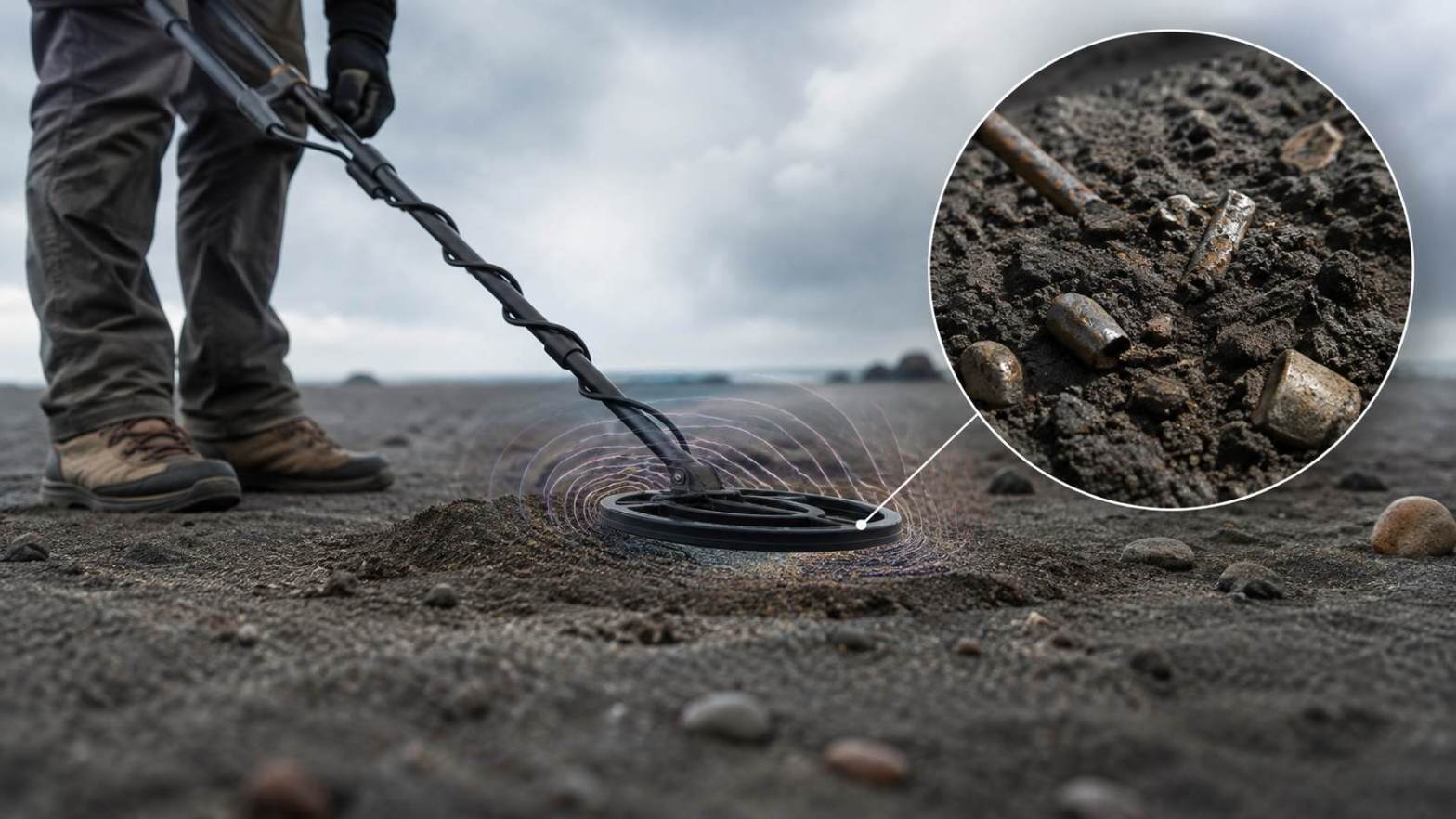
Metal Detection depends on the ability of a detector to sense changes in a magnetic field. A metal object can create a response when it enters the detection area. The detector then measures that response and produces a signal. A weak signal can make the object harder to locate and identify. Several factors can reduce signal strength, including the type of metal, object size, detection distance, soil conditions, device quality, and interference from other objects. Understanding these factors can help users get better results from a metal detector or a Metal Detector app. A Smartphone can also detect some magnetic changes, but its built-in sensor has limits. The quality of the sensor and the surrounding environment can affect the result.
How Metal Detection Works
Metal Detection uses magnetic fields to identify changes caused by metal objects. A traditional metal detector uses a search coil to create and receive electromagnetic signals. When the coil passes near a metal object, the object changes the electromagnetic field. The detector measures this change and converts it into an audio or visual signal. The strength of the signal depends on the properties of the metal and the distance between the search coil and the object.
A Smartphone uses a different method. Many Smartphones contain a magnetic field sensor called a magnetometer. This sensor can measure changes in the magnetic field around the phone. A Metal Detector app can use this sensor to display magnetic field readings. The app does not turn the Smartphone into a full professional metal detector. It uses the phone’s existing sensor to detect magnetic changes. This difference explains why a Smartphone may detect some metal objects but fail to detect others.
Why Metal Type Affects Signal Strength
The type of metal has a major effect on the signal produced during Metal Detection. Different metals interact with magnetic fields in different ways. Iron and steel can produce strong magnetic responses because they contain ferromagnetic materials. These materials can cause clear changes in a magnetic field.
Non-ferrous metals can produce a different response. Copper, aluminum, silver, and gold do not respond to magnetic fields in the same way as iron. A traditional detector can still detect these metals because it uses electromagnetic principles rather than simple magnetic attraction. However, a Smartphone magnetometer may not detect some non-ferrous objects well.
A Metal Detector app may show a strong reading near a steel object while showing little or no change near a small piece of aluminum. This result does not always mean that the aluminum object is absent. It can mean that the phone’s sensor cannot detect a large enough magnetic change.
Ferrous and Non-Ferrous Metals
Ferrous metals contain iron or have strong magnetic properties. Steel and iron objects can often create noticeable magnetic changes. Large ferrous objects can produce stronger readings because they can affect the magnetic field over a larger area.
Non-ferrous metals include copper, aluminum, brass, silver, and gold. These metals can be detected by many professional metal detectors, but a basic Smartphone sensor may not respond strongly to them. Users should understand this difference before relying on a Metal Detector app for metal detection.
Object Size and Shape Can Reduce the Signal
The size of a metal object can directly affect the signal strength. A large metal object can create a larger change in the detected field. A small object can create a much weaker change. This difference becomes important when users try to detect small metal items with a Smartphone.
The shape of an object can also affect the reading. A long metal object may produce a different response from a small round object. The position of the object can also change the result. For example, a metal plate may produce a different reading when it lies flat compared with when it stands upright.
A small metal screw may produce a very weak reading, especially when it is several centimeters away from the sensor. A large steel object can create a much stronger reading at the same distance. This explains why a Metal Detector app may work well near large metal objects but provide poor results for small objects.
Distance Is a Major Factor in Metal Detection
Distance is one of the most important causes of weak signals. The magnetic effect from an object becomes weaker as the distance increases. When a sensor moves farther away from a metal object, the change in the magnetic field becomes harder to measure.
A Smartphone must usually be close to a detectable magnetic source to produce a clear reading. Holding the phone several centimeters away from a small object can result in little change on the screen. Moving the phone closer can produce a stronger reading.
Professional metal detectors can detect objects at greater distances because their search coils and electronic systems are built for this purpose. A Smartphone magnetometer has a different purpose and usually has a much smaller detection range. Users should keep the phone close to the target when testing a Metal Detector app.
Sensor Position Also Matters
The position of the Smartphone can change the reading. The magnetic sensor is usually located inside the phone, and its position can vary by model. The sensor may respond differently when the phone moves at different angles around the same object.
Users can test the phone from several directions. Moving the Smartphone slowly around the object can help identify the strongest reading. Sudden movement can also make the reading change because the phone is measuring the magnetic field continuously.
Soil and Ground Conditions Can Affect Detection
Ground conditions can affect traditional Metal Detection. Soil may contain minerals that produce their own magnetic response. Mineral-rich soil can create background signals that make a metal target harder to identify.
Highly mineralized ground can create false signals or reduce the difference between the target and the surrounding soil. Professional metal detectors often include ground balance controls to reduce this effect. These controls help the detector adjust to natural mineral changes in the ground.
A Smartphone Metal Detector app does not usually provide the same level of ground adjustment. Its magnetometer measures the magnetic field around the phone, including changes caused by nearby objects and the environment. Soil may affect the result, especially when the phone is placed very close to the ground.
Nearby Metal Objects Can Create Interference
A nearby metal object can affect a Metal Detection reading. Users may unknowingly hold a phone close to a metal table, chair, computer, speaker, vehicle, or other metal structure. These objects can produce magnetic changes that appear on the sensor.
A Smartphone can also react to magnets inside electronic devices. Speakers, headphones, magnetic phone cases, charging accessories, and some electronic equipment can create strong magnetic fields. These fields can interfere with a Metal Detector app and make the reading appear stronger or less stable than expected.
For a cleaner test, users should move away from large metal objects and electronic equipment. They should also remove magnetic phone cases or accessories before testing the sensor. A simple test in an open area can provide a more reliable reading.
Smartphone Sensor Quality Matters
Not every Smartphone has the same magnetic sensor. Some models have a magnetometer, while others may have limited sensor support. Even when two phones have a magnetometer, their sensor quality can differ.
A Metal Detector app depends on the phone’s hardware. The app can process and display the data, but it cannot create a magnetic sensor that the phone does not have. The app also cannot increase the physical sensitivity of the sensor beyond its hardware limits.
Older or low-cost Smartphones may provide less stable readings. A newer phone with a good magnetometer may provide more consistent measurements. Users should check their Smartphone specifications before expecting strong Metal Detection performance.
Smartphone Orientation Can Change the Reading
The Earth’s magnetic field affects every magnetic sensor. A Smartphone magnetometer measures this field along different directions. Turning the phone can therefore change the displayed value even when no metal object is nearby.
This effect can confuse users who expect the reading to stay constant. The sensor measures magnetic field strength and direction, not only metal objects. A change in phone orientation can cause the numbers to move.
A good test should keep the Smartphone in a stable position. Users can record the normal reading first and then bring a metal object close to the sensor. A clear increase from the normal reading provides better evidence of a nearby magnetic source.
Electrical Devices Can Produce Weak or False Signals
Electrical equipment can create electromagnetic interference. Computers, televisions, chargers, power supplies, motors, and other devices can affect magnetic sensors. This interference can cause a Metal Detector app to show changing values even when the user is not moving near a metal object.
The effect depends on the device and the distance from the Smartphone. Some electrical devices create stronger interference than others. Users should test the app away from large electronic equipment if the readings appear unstable.
Moving to an open area can help separate environmental interference from a real metal response. If the reading becomes stable after leaving the area, the previous signal may have come from nearby equipment rather than the target object.
Why a Metal Detector App May Show a Weak Reading
A Metal Detector app may show a weak reading for several reasons. The target may be too small. The metal may have weak magnetic properties. The phone may be too far from the target. The Smartphone may not have a suitable magnetometer. Nearby electronics may also interfere with the sensor.
The app itself can also affect how the information appears. Some apps display raw sensor values, while others use graphs, meters, sounds, or alerts. A visual meter does not always represent the actual physical strength of a target in a simple way.
Users should therefore focus on changes in the sensor reading rather than relying only on a single number. The important factor is whether the reading changes consistently when the phone moves closer to a known metal object.
How to Improve Metal Detection Results
Users can improve Metal Detection results by testing the Smartphone in a clean environment. Start by checking the normal magnetic reading in an open area. Keep the phone away from speakers, computers, chargers, magnets, and large metal objects.
Next, bring a known magnetic metal object close to the sensor. Move it slowly and watch the reading. Repeat the test from different directions. This process can help users understand how their Smartphone responds to magnetic sources.
Users should also keep the phone at a consistent distance during testing. A short distance can produce a stronger response. They should avoid moving the phone too quickly because rapid movement can make the reading harder to understand.
When a Professional Metal Detector Is Better
A Smartphone can be useful for basic magnetic field testing, but it cannot replace a professional metal detector for serious Metal Detection work. Professional detectors use search coils and specialized electronics that are built to detect metal targets in soil and other environments.
Professional devices can also provide features such as target identification, sensitivity controls, ground balance, discrimination, and greater detection depth. These features help users identify metal objects under different conditions.
A Metal Detector app is better suited to simple tests and basic magnetic detection. It can help users learn how magnetic sensors work and identify strong magnetic sources nearby. It should not be treated as a complete replacement for dedicated metal detection equipment.
Common Reasons for Weak Magnetic Signals
Weak magnetic signals usually result from a combination of distance, object size, metal type, sensor quality, and environmental conditions. A small object may produce a weak signal even when the phone is close. A large steel object may produce a strong signal from a greater distance.
Environmental interference can also reduce the usefulness of a reading. Nearby magnets, electronic equipment, vehicles, metal furniture, and other objects can affect the sensor. Users should control these factors during testing.
The most important step is to understand what the Smartphone sensor can measure. A Metal Detector app reads the data provided by the magnetometer. It cannot detect every type of metal with equal strength. The hardware sets the basic limits of the detection process.
Final Thoughts on Weak Magnetic Signals
Weak signals during Metal Detection do not always indicate a problem with the app or device. The signal can become weak because the target is small, far away, non-magnetic, or affected by surrounding conditions. Smartphone sensors also have physical limits that affect their detection range.
A Metal Detector app can provide useful magnetic field readings when the Smartphone has a suitable magnetometer. Users can improve results by testing in an open area, keeping the phone close to the target, removing magnetic accessories, and avoiding electronic interference.
For simple magnetic tests, a Smartphone can be useful and convenient. For deeper searches and reliable metal identification, a professional metal detector remains the better option. Understanding the limits of the sensor helps users interpret weak readings correctly and avoid confusing environmental magnetic changes with actual metal targets.

